


Scanimation Generator — Create Animated Optical Illusions Online
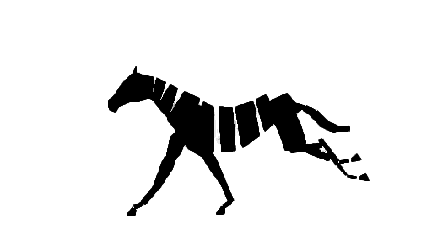
A Scanimation (also known as a moire animation, slit animation, or raster animation) is a mesmerizing optical illusion that brings still images to life. By moving a striped overlay across a specially encoded composite image, the hidden animation reveals itself frame by frame — no batteries, screens, or electricity required.
Our free online Scanimation Generator lets you create custom scanimations in just a few clicks. Upload your image sequence, adjust the grating pattern, and download your own printable scanimation — perfect for art projects, gifts, educational materials, and creative experiments.
How to Make a Scanimation Online
Creating your own scanimation with our tool takes only three simple steps:
- Upload your frames: Upload 2 or more sequential images that form your animation. You can also use our built-in examples to get started immediately.
- Adjust settings: Fine-tune the frame rate and adjust the width of the grating bars (the striped overlay) to find the perfect visual balance for your animation.
- Generate and enjoy: Click generate to produce both the composite animation strip and the striped grating overlay. Drag the overlay across the composite to see your scanimation come to life!
Once satisfied, download both the cover (grating) and the pattern (composite image) as ready-to-print files.
What is a Scanimation?
A scanimation combines the principles of moire patterns and persistence of vision to create the illusion of movement. The composite image interlaces thin slices from each frame of an animation sequence. When the striped overlay (a "grating" of alternating transparent and opaque bars) moves across the composite, it selectively reveals different frames over time, creating a smooth animation effect.
This technique, also known as scanimation, moire animation, or slit animation, was popularized by the book "Scanimation" series by Rufus Butler Seder. Today, it's widely used in art, advertising, toys, and creative education.
What Can You Use a Scanimation For?
- Art projects: Create unique animated artworks that change as viewers move a transparent overlay
- Gifts and cards: Design one-of-a-kind greeting cards with hidden animated messages
- Educational tools: Teach students about optical illusions, persistence of vision, and animation principles
- Marketing materials: Produce eye-catching brochures or business cards with an interactive element
- Creative exploration: Experiment with frame rates, bar widths, and animation sequences to produce fascinating visual effects
Frequently Asked Questions
How Many Frames Can I Use?
Our scanimation maker supports 2 or more frames. More frames create smoother motion but reduce the width of each visible slice. Upload as many as you like and adjust the framerate setting to fine-tune which frames are used.
What File Formats Are Supported?
You can upload common image formats like PNG, JPG, JPEG, and WebP. For best results, use images with the same dimensions.
Can I print My Scanimation?
Yes! The tool generates both the composite pattern and the grating overlay as downloadable images. Print them on paper or cardstock, then move the transparent overlay across the composite to see the animation effect. For best results, print the grating on a transparent sheet (overhead projector film) or cut out the grating window.
What is the Difference Between Scanimation and Moire Animation?
Both terms are often used interchangeably. "Scanimation" is a branded term popularized by Rufus Butler Seder's books, while "moire animation" or "slit animation" describe the underlying optical technique. Our tool supports all these effects — simply upload your frames and generate your animated optical illusion.
For a comprehensive overview of scanimation, visit:
Scanimation - Mightool Blog
Discover Everything About Scanimation